

Redesigning your real estate website without a pre-migration SEO audit will erase 30–60% of your organic traffic, and recovery typically takes 3–6 months of emergency fixes. The redesign doesn’t cause the damage. Missing redirects, orphaned URLs, and undetected crawl blocks do, and a structured audit catches all three in a single afternoon before the old site goes dark.
TL;DR: Real estate site migrations fail because agents treat SEO as a post-launch cleanup task. A three-layer audit — redirect mapping, crawl waste elimination, and pre-cutover validation — run before the DNS switch prevents the ranking drops that cost agents months of lost organic leads they’ll never fully recover.
The Redirect Map Is the Migration
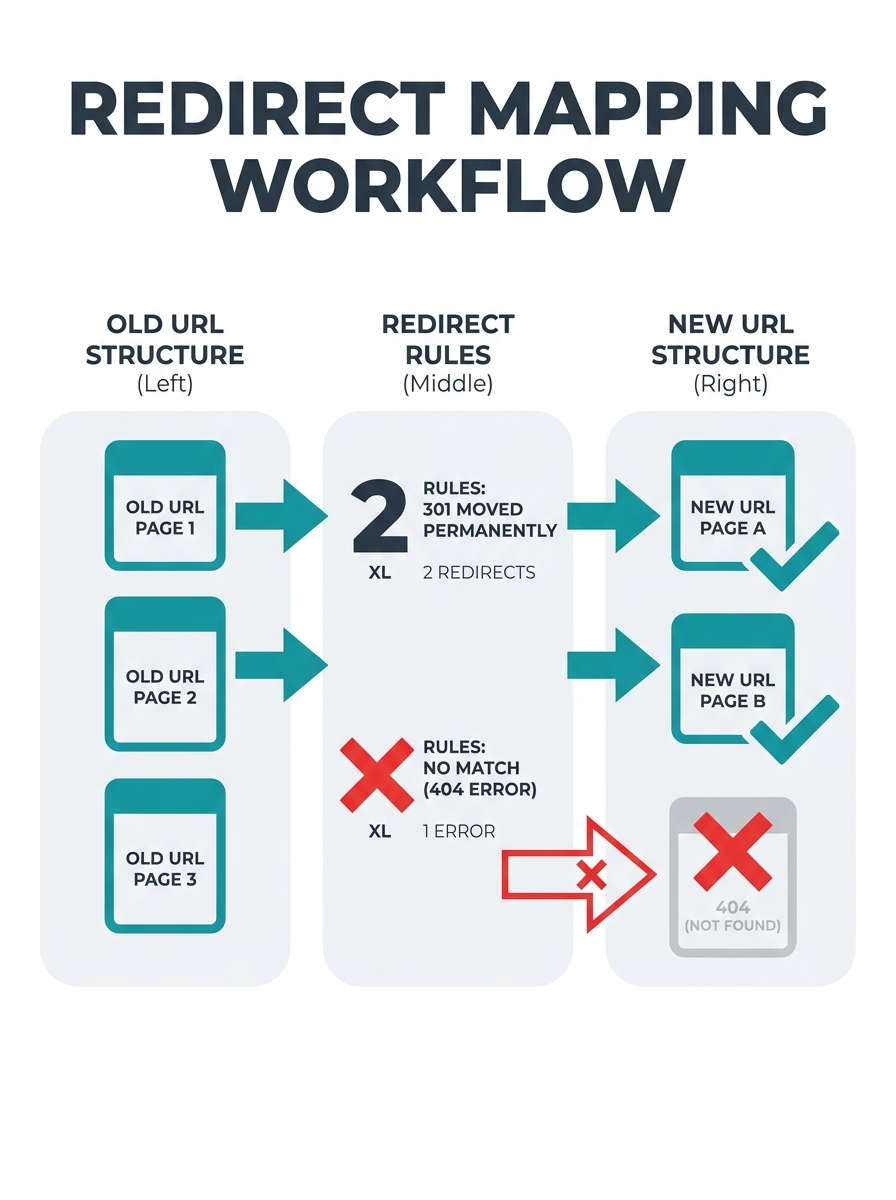
Before any redesign launches, create a complete URL mapping of old URL to new URL for every page and implement 301 redirects for every changed URL, according to SEO migration guidance from Arslan SEO Insights. A real estate site with 500 neighborhood pages, 2,000 archived listings, and 80 blog posts needs 2,580 individual redirect rules. Miss 10% and you’ve created 258 pages returning 404 errors, each one a signal to Google that your site is broken.
The problem is specific to real estate. Property IDs change between platforms. A listing that lived at yoursite.com/property/view?=1111 on your old system becomes yoursite.com/property/oak-street/2222 on the new one, as documented in a Stack Overflow thread on large-scale real estate redirects. The URL structures are forcibly different because each platform generates its own property IDs. Without access to the old site’s database, matching old URLs to new ones becomes detective work.
Your 301 redirect strategy for real estate needs to account for three categories of URLs that agents consistently forget:
- Sold listing pages that still rank for neighborhood search terms and drive organic traffic
- IDX-generated filter pages (e.g., /homes-for-sale/austin/3-bedroom/under-400k) that search engines indexed even though you never intentionally created them
- Image URLs that other sites link to, passing authority back to your domain
Tools like Google Search Console and Screaming Frog can identify every URL that needs redirection, but you have to run them before the old site goes dark. Once the previous hosting account is canceled, that URL data is gone permanently.
Crawl Budget Waste Transfers to Your New Site Unless You Audit First
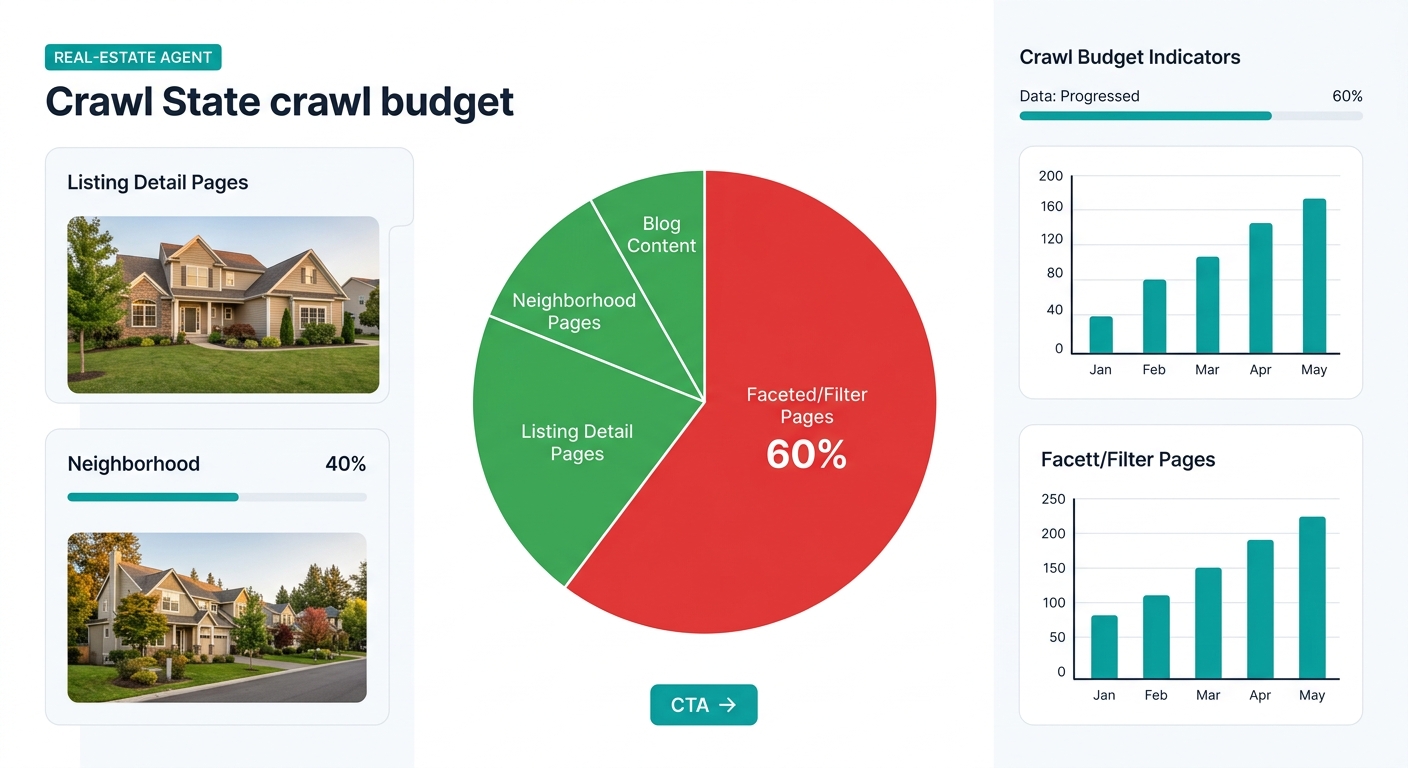
Why does a freshly redesigned site sometimes perform worse than the outdated one it replaced? Because the old site’s crawl inefficiencies migrate along with the content. Log file analysis reveals that search engine bots frequently spend 60% or more of their crawl budget on faceted navigation pages, the automatically generated filter combinations that IDX systems produce for every possible bedroom/price/neighborhood permutation.
A real estate site serving a metro area with 45 neighborhoods, 5 bedroom counts, and 8 price ranges can generate 1,800 faceted URLs. Google’s crawler treats each one as a separate page. If your pre-migration SEO audit doesn’t identify this crawl waste, your new site inherits every one of those phantom pages, and your actual content gets crawled less frequently as a result.
The website migration SEO checklist that actually prevents this includes a step most guides skip entirely: exporting your server log files for the 90 days before migration and categorizing every URL that Googlebot visited. Sort by crawl frequency. Pages crawled daily are high-priority and get 301 redirects. Pages crawled once in 90 days are candidates for consolidation or intentional removal. Pages crawled repeatedly but generating zero traffic represent the crawl waste you want to eliminate, not migrate.
This connects to a broader point about how website performance directly affects your conversion rates. A site wasting crawl budget on phantom pages also wastes server resources rendering them, which degrades load speed for the pages that actually generate leads.
Warning: If you’re migrating from an IDX provider that generates faceted URLs, check whether your robots.txt file on the old site was blocking those pages from crawling. If it was, and you don’t replicate that block on the new site, you’ll suddenly expose thousands of thin pages to Google’s index — triggering a quality penalty that looks like a migration failure but is actually an indexation explosion.
I call this the Three-Layer Migration Audit framework because each layer catches problems the others miss:
- Redirect layer — maps every indexed URL to its destination, achieving 100% coverage of pages with organic traffic
- Crawl layer — analyzes log files to separate valuable pages from crawl waste, preventing inefficiency inheritance
- Validation layer — compares staging site against audit benchmarks 48 hours before cutover
Skipping any layer leaves a category of failure undetected until rankings drop.
The 48-Hour Pre-Cutover Validation That Separates Clean Migrations from Disasters
Semrush’s migration checklist recommends scheduling a kickoff meeting to discuss timeline, goals, potential risks, and resources needed before any migration begins. But the meeting that matters more happens 48 hours before the DNS switch, when you compare your staging site against your audit benchmarks point by point.
Here’s what breaks during real estate site redesigns that a pre-cutover check catches:
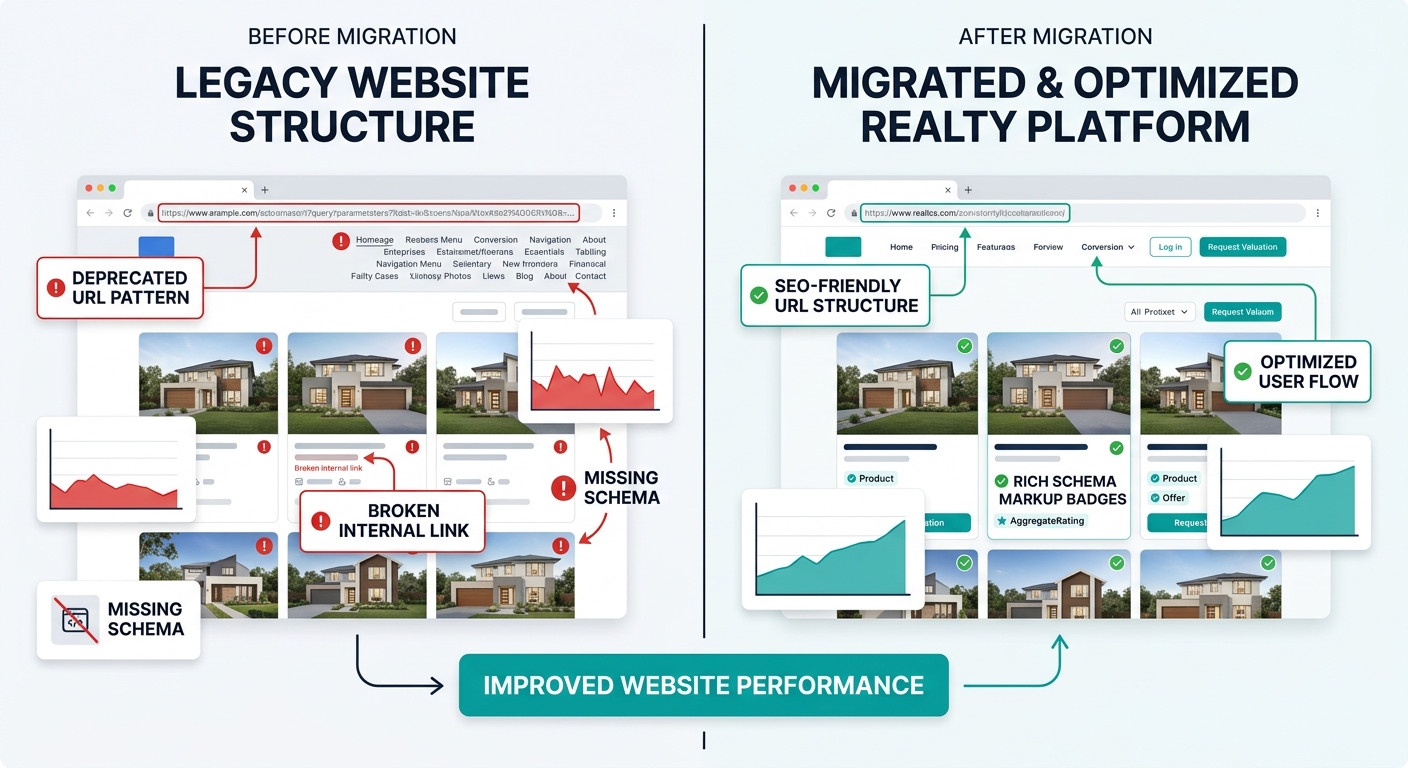
Canonical tag conflicts. Your old site had one canonical URL per page. Your new CMS might generate multiple versions of the same listing page (with and without trailing slashes, with and without www, with and without query parameters). When canonicals aren’t consistent, Google splits the ranking authority across duplicate versions, and every page ranks worse than it did before.
Schema markup regressions. If your old site had RealEstateListing or LocalBusiness structured data and your new template drops it, you lose rich snippet eligibility immediately. Search Engine Land’s migration guide notes that the first 30–90 days after a site migration are the critical window for SEO monitoring, and schema loss during this period is one of the hardest issues to diagnose because rankings don’t drop instantly. They erode over 2–4 weeks, making the root cause difficult to trace.
Internal link architecture changes. Your old site might have linked every blog post to related neighborhood pages, passing authority in a pattern Google learned and rewarded. A new template that changes the sidebar, removes related-post widgets, or restructures the footer navigation silently breaks hundreds of internal links. If you’ve been building neighborhood-focused content for hyperlocal SEO, those internal links are a significant part of why that content ranks in the first place.
The design can be adjusted after launch. Rankings, once lost to a botched migration, take 3–6 months to earn back, and some pages never recover to their previous position.
The validation itself is straightforward. Crawl the staging site with Screaming Frog or Sitebulb. Compare the results against your pre-migration audit data. Every URL from the old site should either have a matching URL on the new site or a 301 redirect pointing to the most relevant alternative. Every page ranking in your top 100 keywords should still exist, still load under 3 seconds, and still contain the title tags, H1s, and meta descriptions that earned those rankings.
| Checkpoint | What to Compare | Failure Signal |
|---|---|---|
| URL count | Old indexed pages vs. new sitemap entries | New site has fewer URLs without intentional consolidation |
| Redirect coverage | Mapped redirects vs. total old URLs | Any old URL returns 404 instead of 301 |
| Canonical consistency | One canonical per page on staging | Multiple canonical variations for same content |
| Schema presence | Old structured data types vs. new template | Missing RealEstateListing or LocalBusiness markup |
| Internal link count | Links per page on old site vs. new | New template drops sidebar or footer link blocks |
| Page speed | Old Core Web Vitals vs. staging metrics | LCP or CLS regression on new design |
Marcel Digital’s checklist emphasizes that after you migrate and launch, you should conduct a full SEO audit to confirm all pages, content, links, tags, and mobile elements are in place. Running that same check on staging, before launch, transforms it from a post-mortem into a prevention protocol.
If you’ve already gone through the exercise of auditing which website features drive leads versus draining budget, apply identical rigor to every element you’re adding or removing in the redesign. A new mega-menu might look great, but if it eliminates links to 30 neighborhood pages your old navigation included, those pages lose internal authority the moment you go live.
The Claim, Revisited
Real estate site redesign rankings preservation comes down to a single operational principle: the audit happens before the migration, or the recovery happens after. There is no third option where you skip the work and keep your traffic. Agents who treat the redesign as a visual project with an SEO footnote end up stuck in that 3–6 month recovery window, watching organic leads disappear while paying for a site that looks better but performs worse in search. Agents who treat it as an SEO project with a design component keep their rankings through the transition and compound new traffic gains from improved user experience on top of existing authority.
The website migration SEO checklist isn’t an appendix to a redesign proposal. It’s the project plan itself. Map every URL at the redirect layer, identify crawl waste at the log file layer, and validate everything on staging 48 hours before you flip the switch. A redesign that follows all three layers of the audit can improve rankings within weeks of launch. A redesign that skips them leaves you rebuilding authority you already earned, one painful month at a time.