
Zillow’s search bar offers bedrooms, bathrooms, price range, and square footage. Your IDX website probably mirrors those exact fields. So does every other agent site pulling from the same MLS feed. The result is a kind of UX sameness across tens of thousands of real estate websites, where every visitor encounters the same five dropdown menus, clicks through the same broad results, and leaves with roughly the same level of disinterest. The gap between what buyers actually want to filter by and what your site lets them filter by is where leads quietly disappear. And because the drop-off happens before anyone registers or fills out a contact form, most agents never realize the problem exists.
What the Standard Filter Set Actually Communicates
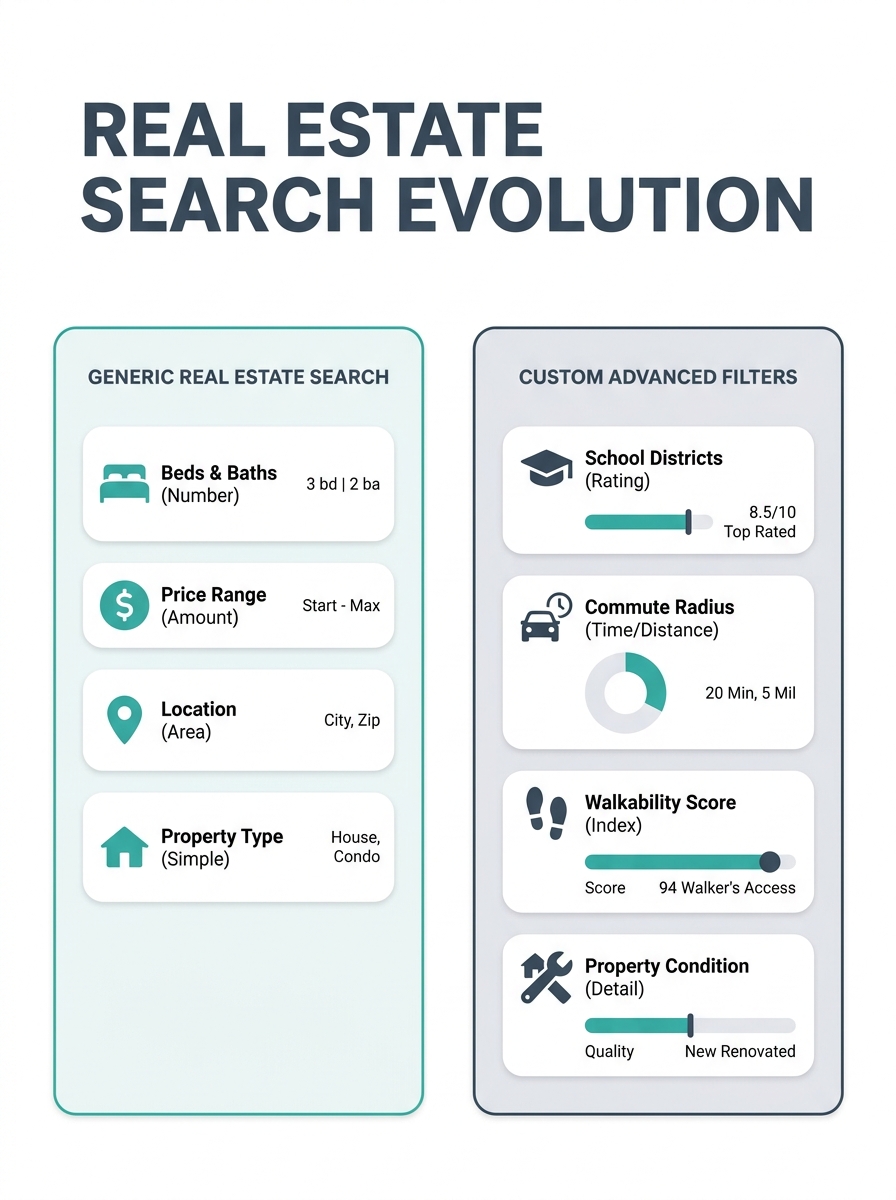
The typical property search on an agent’s website defaults to location, price range, beds, baths, and maybe square footage. These fields exist because they’re the easiest data points to pull from MLS feeds, and every template IDX provider includes them out of the box. But think about what these filters tell a visitor about your expertise: nothing. They tell the buyer you have access to the same database every other agent has access to, presented in the same way, with the same limitations. The search experience on your site becomes interchangeable with the search experience on a competitor’s site three blocks away.
What serious buyers actually search for looks different. A family relocating for a school district doesn’t start with square footage; they start with school boundaries and commute times. A remote worker shopping in a new market cares about internet infrastructure and home office potential before they care about lot size. An investor evaluates cap rate potential, rental comps, and zoning flexibility. None of these criteria show up in a standard filter panel, which means your site forces these high-intent visitors to do the qualifying work themselves, scrolling through dozens of irrelevant listings until they either find what they need or, more likely, leave. As research from Bacancy Technology on advanced property search makes clear, basic filtering limited to location and price fails to account for the layered decision-making that real buyers bring to property searches.
The downstream effect on lead conversion optimization is measurable. When visitors can’t narrow results to match their actual criteria, they bounce. When they bounce, your registration gate never triggers. When registration never triggers, your CRM stays empty. The filters aren’t a minor UX detail; they’re the first substantive interaction a potential client has with your brand, and for most agent websites, that interaction communicates “I have listings” rather than “I understand what you’re looking for.” If you’ve been working on your site’s underlying architecture to improve lead quality, the search experience is where that architecture either pays off or falls flat.
Buyer Intent Filtering vs. Data Entry
There’s an important distinction between filters that help someone browse and filters that reveal what a buyer actually wants. The standard bed/bath/price setup is a browsing tool. It helps visitors sift through inventory the same way they’d flip through a catalog. But buyer intent filtering works differently: it captures decision criteria that tell you, the agent, where someone is in their buying process and what matters to them before you ever pick up the phone.
Consider a filter for “move-in ready vs. renovation potential.” A buyer who specifically selects renovation potential is telling you something about their budget flexibility, their timeline, and their tolerance for complexity. That’s qualifying information that would normally take three follow-up calls to uncover. A commute-time filter that lets someone draw a radius around their workplace reveals geography preferences that a zip code search never would. Map-based search functionality, where users can pin their desired area manually, gives you even richer data about neighborhood-level preferences. SennaLabs’ research on real estate UX found that implementing interactive property maps alongside advanced search filters significantly increased both engagement and lead generation, because these tools let visitors self-qualify through their search behavior.
The filters aren’t a minor UX detail — they’re the first substantive interaction a potential client has with your brand.
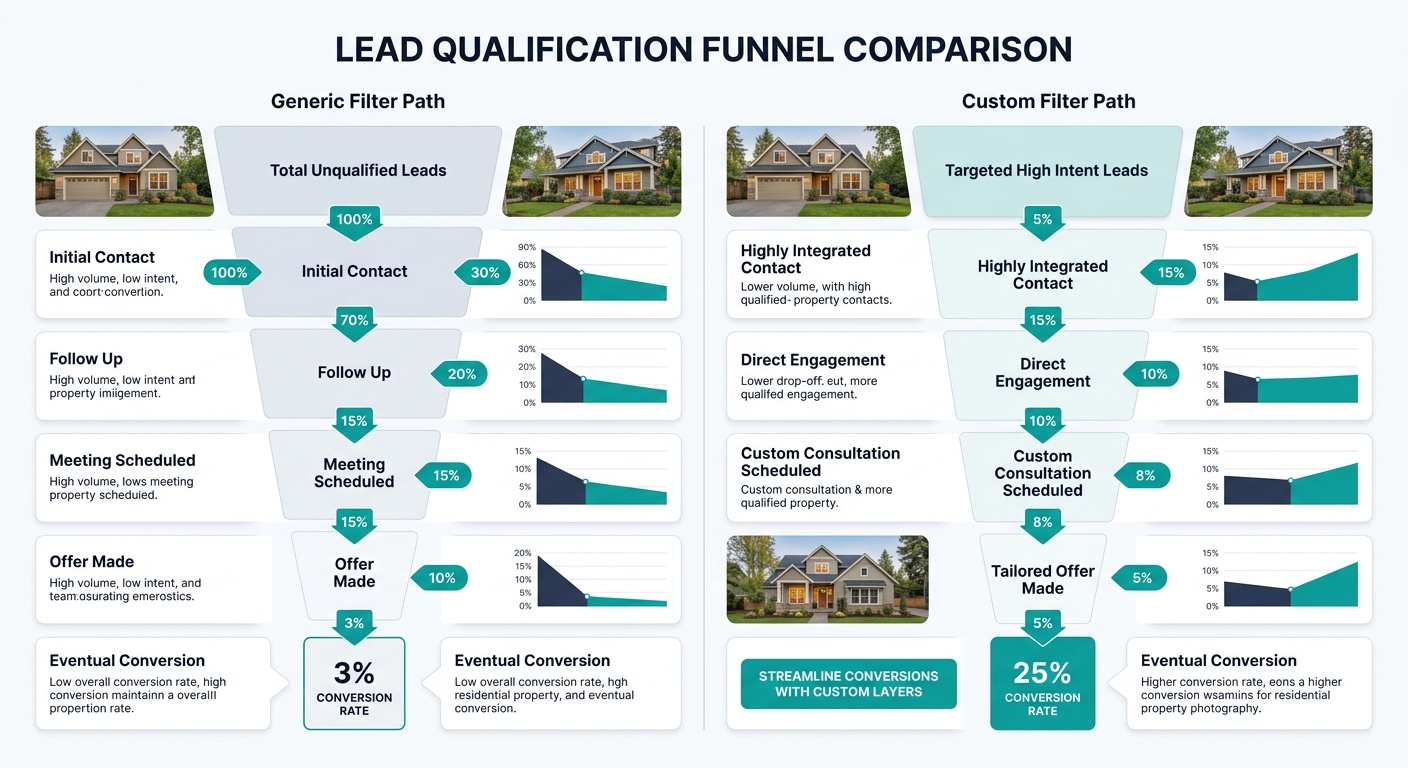
This is where custom search logic earns its keep. When your site captures the specific combination of filters a visitor uses, you’re building a behavioral profile before they ever submit a lead form. Someone who searches for 3+ bedrooms, within 15 minutes of a specific elementary school, with a garage and a maximum price of $425,000 has handed you a remarkably specific brief. Your first conversation with that person can start with “I saw you were looking near Oakdale Elementary with a budget around $425K. I have two listings that match and one coming soon that hasn’t hit MLS yet.” Compare that opening to the cold-start script most agents use when a generic IDX lead comes through with nothing but a name and email. The difference in conversion probability is enormous, and it mirrors the kind of AI-powered lead qualification that’s reshaping follow-up across the industry.
Why Most Agents Don’t Fix This
If custom search logic and intent-based filtering produce better leads, why do the vast majority of agent websites still run stock filter panels? The honest answer involves three overlapping realities that are uncomfortable to admit.
The first is platform dependency. Most agents use IDX providers that control the search interface, and those providers optimize for the broadest possible use case. Customizing filters requires either a different platform, developer help, or a provider that exposes enough configuration options to let you build something tailored. That’s a real cost in time and money, and for agents already stretched thin across prospecting, showings, and administrative work, the website search experience rarely makes it to the top of the priority list. But this is a case where a small investment in real estate website UX pays compounding returns. Every improvement to your filter design works 24/7 across every visitor session without requiring additional effort from you. When you think about protecting your highest-value prospecting time, building a search experience that pre-qualifies leads is one of the best ways to ensure the calls you do make are worth making.
The second is measurement. Agents track lead volume obsessively but rarely track filter usage, search abandonment, or the correlation between specific search behaviors and eventual closings. Without that data, the filter gap stays invisible. Your CRM tells you a lead came in from the website; it doesn’t tell you that 47 other visitors searched, got frustrated by the filter limitations, and left without ever registering. Installing basic analytics on your search page — tracking which filters get used, which combinations produce zero results, and where users drop off — turns your property search from a passive feature into an active diagnostic tool.
The third reality is that many agents don’t think of their website as a lead conversion tool in the first place. It’s a digital business card, a place to park listings, a thing they were told they needed. The idea that the search interface itself is a conversion mechanism — that the way you let people filter properties directly affects whether they become clients — requires a shift in how you think about your online presence. It’s the same shift that separates agents who treat their website marketing as a strategy from those who treat it as a checkbox.

Where This Gets Harder to Solve
The filter gap is a real problem with real solutions, but it would be dishonest to pretend those solutions are simple or universally accessible. Custom search logic requires data that doesn’t always live in the MLS. School district boundaries, walkability scores, commute-time calculations, neighborhood-level insights — these come from third-party APIs and data sources that add cost, complexity, and maintenance overhead. Repliers’ property search platform offers AI-powered tools that integrate some of this data, including location-based filtering and continuously updated valuations, but integrating those tools into an existing site still requires technical work that many agents aren’t equipped to do alone.
There’s also the question of how far to push filter complexity before you create a different problem. A search panel with 25 filter options looks sophisticated but can overwhelm a visitor who came to your site on a phone during their lunch break. The best real estate website UX research consistently shows that offering a simple default search alongside an expandable advanced panel serves both casual browsers and serious buyers. You want the depth available without making it mandatory, and that balance is harder to strike than it sounds. The agents who solve this well tend to think about filters the way good listing agents think about staging: the goal is to make the visitor feel like the space was designed for them specifically, even when it serves many different people.
And there’s a broader tension worth sitting with. The more effective your filters become at capturing buyer intent, the more responsibility you carry to use that data well. A visitor who tells your site exactly what they want through their search behavior has given you a kind of trust. If your follow-up is a generic drip campaign that ignores everything their search revealed, you’ve wasted the advantage and probably lost the lead. The filter gap isn’t solved by better technology alone. It’s solved when the search experience and the human follow-up work as a single system, where what someone tells your website directly shapes what you say when you call. Agents who get both sides right don’t struggle with lead conversion. The ones who fix one side but ignore the other keep wondering why the numbers don’t move.