
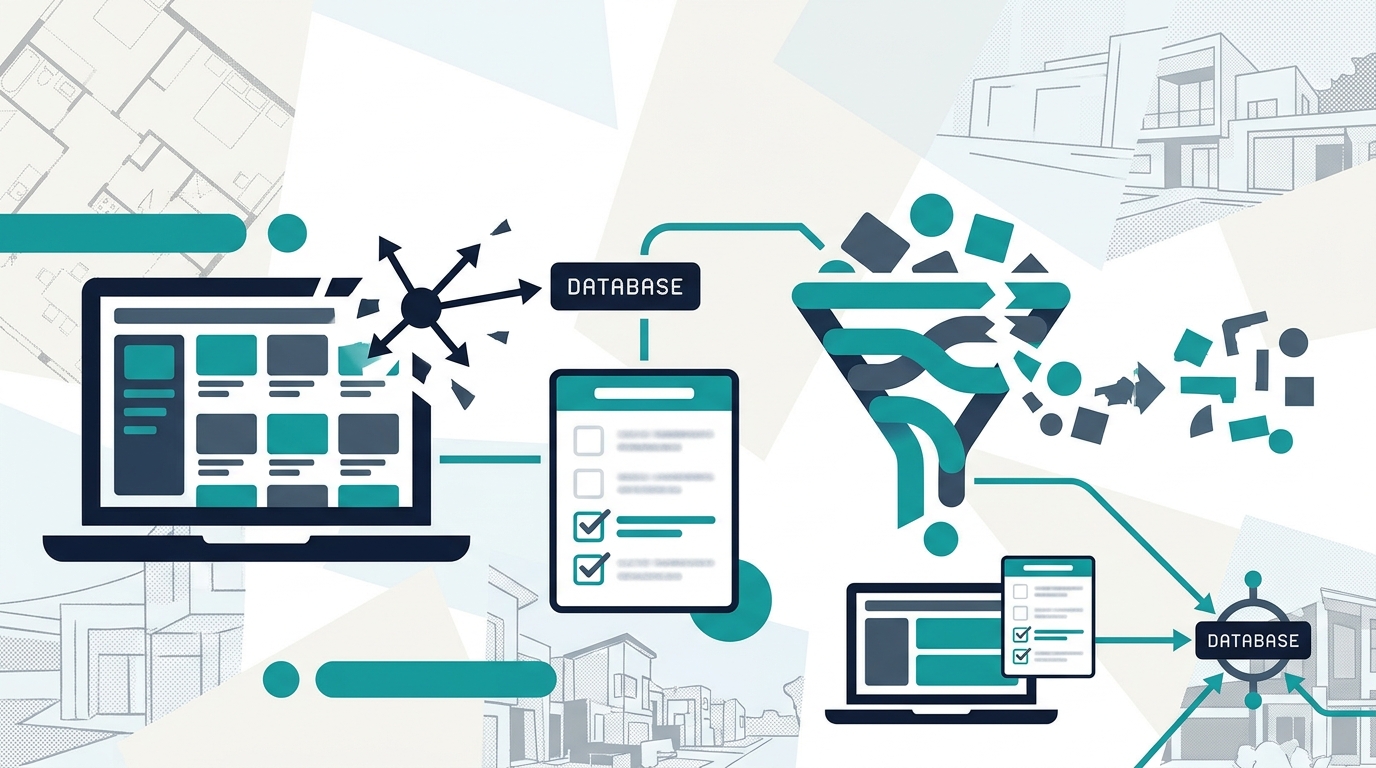
IDX (Internet Data Exchange) is the protocol that pulls MLS listing data onto your own website so buyers search your domain instead of Zillow’s. Getting IDX onto your site is the easy part. Getting it right requires six decisions that determine whether your website captures leads or quietly feeds them to a competitor’s portal.
TL;DR: Sites with native IDX integration get 4x more traffic than those without, but the lead capture gap comes down to six technical choices: native import vs. iframes, sync frequency, CRM routing, indexable listing pages, graduated registration gates, and RESO Web API compliance. Miss any of these and your website is an expensive brochure that sends buyers elsewhere.
The real estate industry treats IDX like a checkbox. You sign the agreement with your MLS, install a plugin or activate a vendor widget, and assume listings are flowing. But according to Luxury Presence’s 2026 IDX integration guide, IDX integration is now the standard method for presenting MLS data to buyers on your domain rather than routing them to third-party portals. One brokerage that switched to a properly integrated IDX setup generated 10 organic leads in its first week and hit 57% site engagement within four months, up from zero leads on their previous site. The agents who capture those kinds of results follow six specific rules. The agents who don’t follow them watch their traffic bounce to Zillow within 30 seconds.
Demand native listing import, not iframe embeds
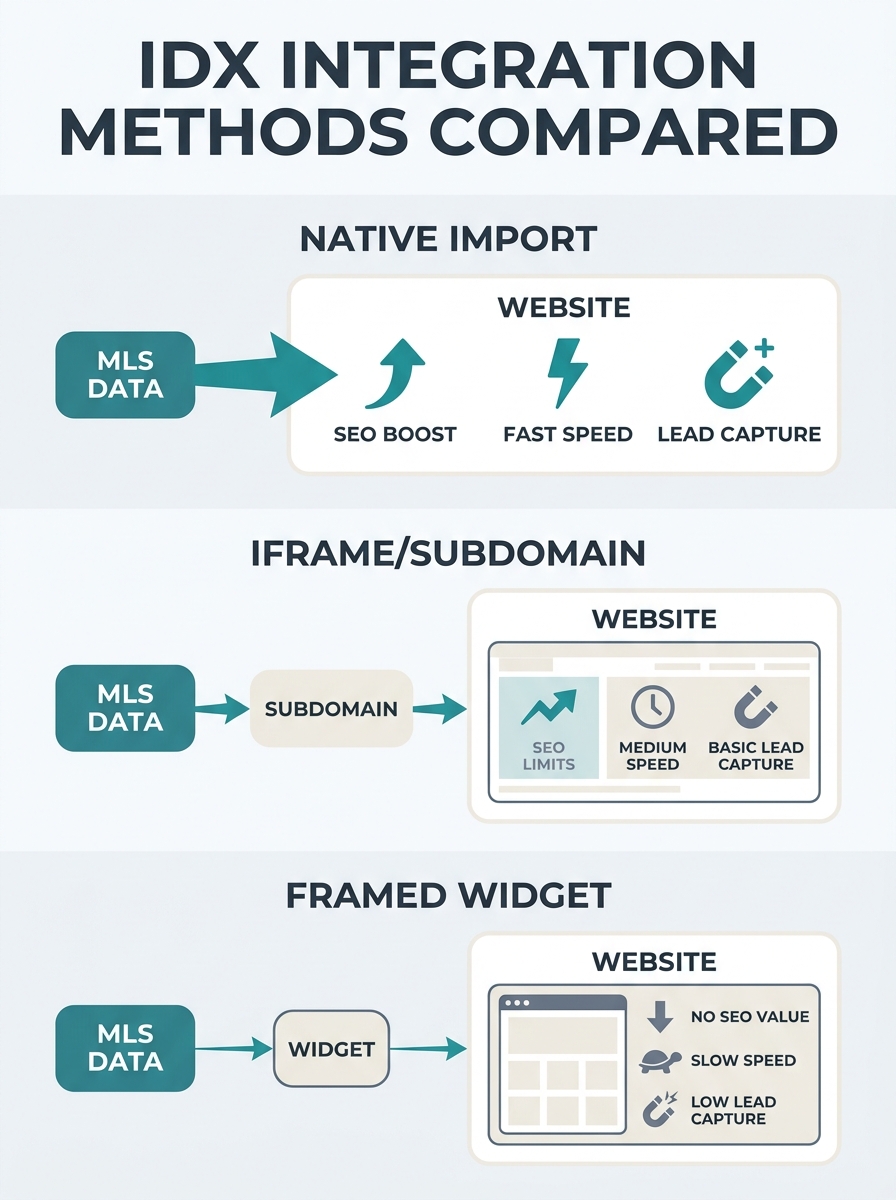
The single biggest IDX mistake agents make is accepting an iframe or subdomain-based integration when a native import option exists. According to WP Residence’s IDX integration analysis, “if IDX Broker uses a subdomain like homes.yoursite.com, Google treats it as a separate website. Your primary site doesn’t get credit for all that property content.”
Native import solutions store MLS listings directly in your website’s database, the same way your blog posts and pages are stored. Every listing becomes a page that builds your domain authority. Iframe-based solutions display listings inside a window hosted on someone else’s server. The visual result looks similar to visitors, but the SEO result is dramatically different.
| Feature | Native Import (Organic IDX) | Iframe / Subdomain IDX | Framed Widget |
|---|---|---|---|
| Listings indexed by Google | Yes, on your domain | No, or on subdomain | No |
| Page load speed impact | Moderate (local database) | High (external server) | High |
| SEO benefit to your site | Full domain authority | Zero or split | Zero |
| Customization control | Full | Limited to vendor templates | Minimal |
| CRM integration depth | Direct database triggers | API callback required | Manual or none |
| Typical monthly cost | $50–$150+ | $40–$100 | Free–$50 |
When evaluating whether your website builder actually drives leads versus draining your budget, the IDX plugin vs built-in comparison is the first place to look. If your listings live on a subdomain, you’re paying for a tool that builds someone else’s SEO equity.
Sync your listings at least every 15 minutes
Stale data kills credibility. Major portals like Zillow display 20% of agent-listed homes as missing and 36% of “active” listings as no longer for sale, according to industry syndication data. Your website can avoid this credibility gap entirely if your MLS connectivity updates frequently enough.
Why does the update interval matter so much? A buyer who finds a listing on your site, calls you about it, and learns it went under contract yesterday won’t call you again. That buyer will go to Zillow, where the listing status was updated an hour ago, and find a different agent through the portal’s lead routing. You lost the lead because your real estate website listing sync ran once every 24 hours instead of every 15 minutes.
The RESO Web API (which replaced the older RETS feed standard) supports near-real-time data pulls. If your IDX vendor still operates on RETS with overnight batch imports, you’re working with technology the industry has moved past. Ask your vendor what the actual sync interval is, and if the answer is “daily” or “every few hours,” that gap is costing you leads on every price reduction, status change, and new listing that hits the MLS between syncs.
Route every saved search action to your CRM automatically
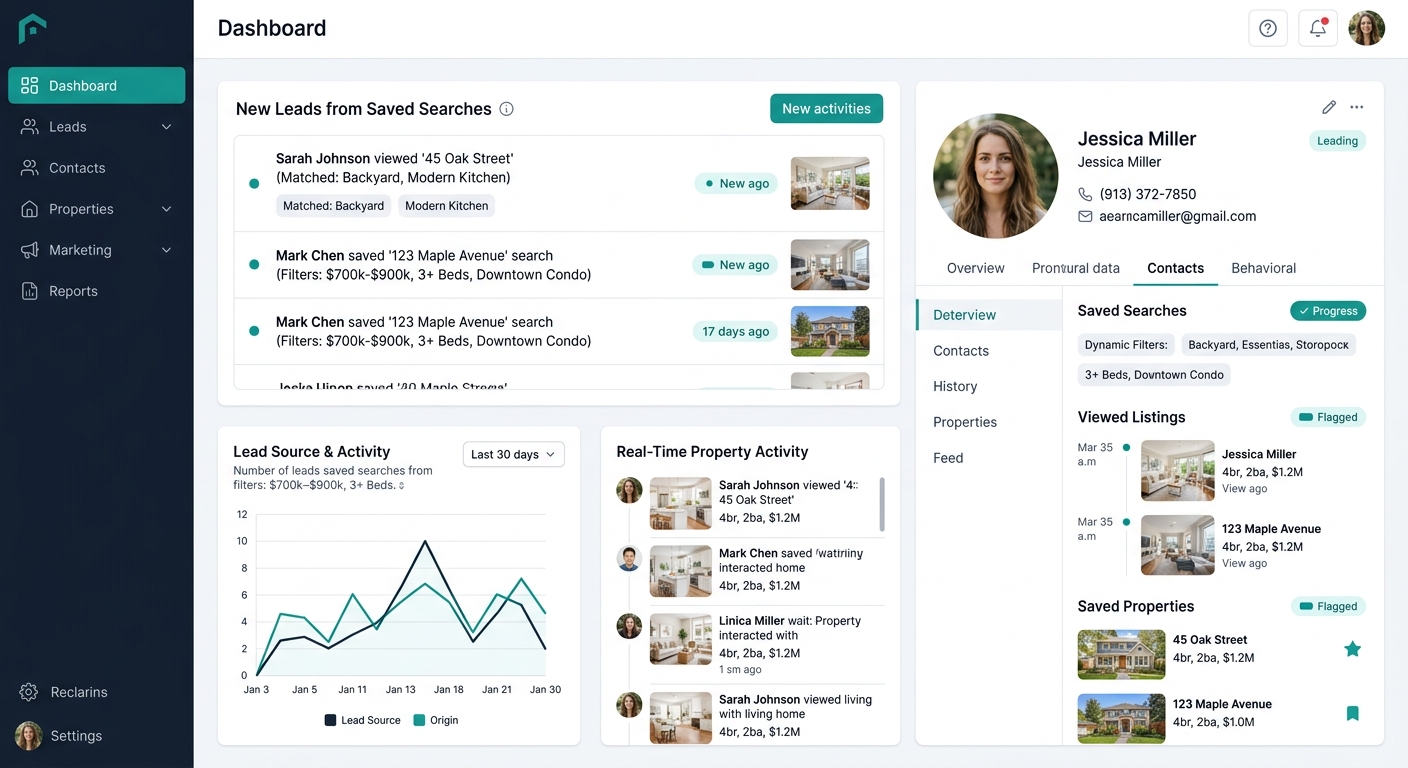
IDX Broker “allows agents to configure instant SMS and email lead notifications, integrate with CRM platforms like Follow Up Boss and LionDesk, and set up lead routing rules for teams,” according to their speed-to-lead documentation. This capability is standard across most IDX providers. But a surprising number of agents have IDX installed without connecting it to their CRM, which means saved searches, favorited listings, and registration data sit in the IDX dashboard and never trigger a follow-up sequence.
The connection between your website and your CRM determines whether a lead gets a response in 5 minutes or 5 hours. If you’ve already identified that your website-to-CRM pipeline has design bottlenecks, an unconnected IDX layer makes the problem worse by adding another data silo. Every property save, every search filter applied, and every listing viewed should flow into your CRM as behavioral data that shapes your outreach timing and content.
When IDX data pairs with AI-driven follow-up, the numbers shift substantially. Contempo Themes’ analysis of combined IDX and AI systems shows lead conversion rates reaching 8–12%, compared to standard website conversion rates that typically hover around 1–3%. The IDX layer attracts traffic with live MLS listings and search functionality; the AI layer qualifies visitors, asks relevant questions, and routes warm leads to agents in real time.
Make sure Google indexes your listing pages on your primary domain
Why do so many IDX-equipped sites still lose organic search traffic? Because Google can’t see the listings. IDX listings improve SEO when they are indexable and optimized for local search terms, as iHomefinder’s research confirms. By pulling data from your local MLS, IDX listings create dynamic, location-specific pages that search engines can crawl and rank. But this only works when those pages live on your primary domain and carry proper metadata.
Run a quick test right now: go to Google and type site:yourdomain.com followed by a neighborhood name. If your listing pages don’t appear in the results, Google either can’t see them (iframe problem) or isn’t indexing them (noindex tag, canonicalization issue, or subdomain split). Each unindexed listing page is a missed opportunity to capture a buyer searching for “homes for sale in [your neighborhood].”
Sites with IDX integration receive 4x more traffic than those without, according to industry benchmarks. But that multiplier depends on Google being able to find and index the listing content. Agents who’ve already worked on local SEO for their listing content will see the biggest gains from properly indexed IDX pages, because the listing data creates hundreds of location-specific URLs that compound organic authority over time.
Tip: Check your Google Search Console coverage report monthly. Filter for your listing URL pattern (e.g., /listings/ or /properties/). If you see a high ratio of “Crawled — currently not indexed” pages, your IDX implementation has a technical problem that’s costing you organic leads.
Gate registration after engagement, not on arrival
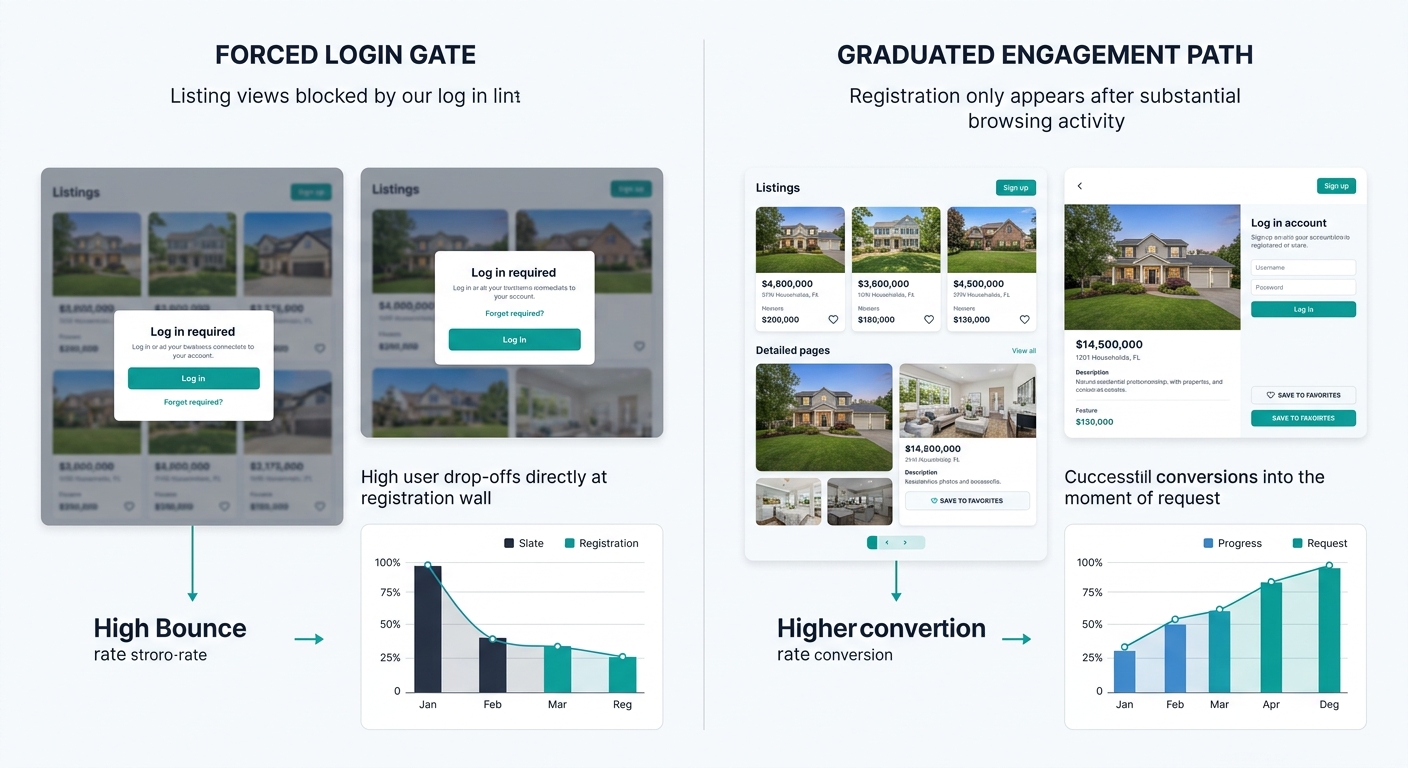
The instinct to require registration before a visitor can view listings is understandable. You want contact information. But the data shows forced early registration drives people away from your site. Agents using graduated engagement strategies that ask for contact information only after a visitor has demonstrated genuine interest see conversion rates jump from 1.4% to 18.7%.
Agents using graduated engagement see conversion rates jump from 1.4% to 18.7%. The 13x difference comes from when you ask for an email address, not whether you ask.
The graduated approach works like this: let visitors browse freely for the first few minutes. After they’ve saved 2–3 properties, applied multiple search filters, or viewed 5+ listing detail pages, prompt them to create an account to save their searches. At that point, they’ve invested enough time that providing an email feels like a fair trade rather than a toll booth. Your IDX integration real estate website should let you configure these triggers based on page views, saved listings, or time on site. If your current IDX provider doesn’t offer configurable registration triggers, that’s a serious limitation worth switching over.
Match your data feed to the RESO Web API standard
The real estate industry has largely moved from RETS (Real Estate Transaction Standard) to the RESO Web API for MLS data feeds. According to MLS Import’s integration documentation, the RESO Web API is “a more up-to-date and effective tool for real estate data needs,” and most MLS organizations now use it as their primary technical standard.
RETS feeds still work, and some smaller MLS systems haven’t fully transitioned. But RESO Web API feeds are faster, more reliable, and support richer data fields including high-resolution photo URLs, open house schedules, and tax records. If your IDX vendor is pulling data via RETS when your MLS offers RESO Web API access, you’re getting slower updates and thinner listing data than your competitors who upgraded.
Before signing with any IDX provider, confirm two things: that your local MLS supports the RESO Web API (most do), and that your vendor uses it as the default connection method. This single check ensures your MLS connectivity lead generation pipeline runs on current infrastructure instead of a deprecated protocol that’s being phased out board by board.
Warning: Permission matters before any integration work begins. Confirm you have a signed IDX agreement with your MLS before displaying listings. Displaying listing data without proper authorization can result in MLS fines and feed termination. Your broker’s office typically handles this paperwork, but verify it yourself before investing in any IDX setup.
When These Rules Break Down
These six rules assume you’re an agent or small team running a WordPress site, a vendor-built website, or a brokerage platform where you control the IDX layer. They don’t apply cleanly in every situation.
If you’re on a brokerage-provided website with no control over the tech stack, you can’t swap the IDX integration method yourself. Your move is to audit what you have (check indexation, check sync frequency, check CRM connection) and escalate to your brokerage’s tech team with specific findings. “Our listings aren’t indexed by Google” is a conversation that gets attention faster than “the website doesn’t feel right.”
If you’re operating in a market where your MLS has restrictive IDX display rules, the graduated registration strategy may conflict with compliance requirements. Some MLSs mandate registration before showing certain listing details, including sold data, tax records, or listing agent contact information. Check your MLS rules before configuring your registration triggers, because an MLS compliance violation will shut off your feed entirely.
And if your site already has strong core web vitals and load speed performance, adding a native IDX import with thousands of listing pages can temporarily slow things down as your database grows. Monitor page load times after activating IDX. Over 60% of property searches happen on phones, and a site that takes 4+ seconds to render listing pages on mobile will lose those visitors regardless of how well-integrated the data feed is. The technical foundation under your IDX layer matters as much as the IDX layer itself.