

Three categories of AI property description tools dominate agent workflows right now: general-purpose LLMs like ChatGPT and Claude, real estate-specific generators like HAR.com and ListingAI, and automation pipelines connecting spreadsheets to OpenAI’s API. Each produces usable MLS copy, but they differ sharply in speed, compliance safety, and how well the output performs in AI-powered search results.
TL;DR: General-purpose LLMs give you full control over listing descriptions but require heavy editing for MLS compliance. Real estate-specific generators produce copy fastest for single listings. Automation pipelines scale best for teams publishing 10+ listings monthly. Your volume and compliance tolerance determine which approach fits.
Before breaking down each option, here’s the side-by-side comparison:
| General-Purpose LLMs | RE-Specific Generators | Automation Pipelines | |
|---|---|---|---|
| Setup time | 5–10 min (prompt writing) | Under 2 min (fill fields) | 2–4 hours (one-time build) |
| Per-listing speed | 3–8 min with editing | 30–90 seconds | 10–20 seconds |
| MLS compliance | Low (you check everything) | Medium (built-in filters) | Medium-High (template-controlled) |
| AI search optimization | High (full prompt control) | Low-Medium (preset formats) | High (custom prompt per field) |
| Monthly cost | $20–25 (ChatGPT Plus / Claude Pro) | $0–49 (freemium tiers) | $30–80 (API + connector fees) |
| Best for | Agents with 1–5 listings/month | Solo agents needing speed | Teams with 10+ listings/month |
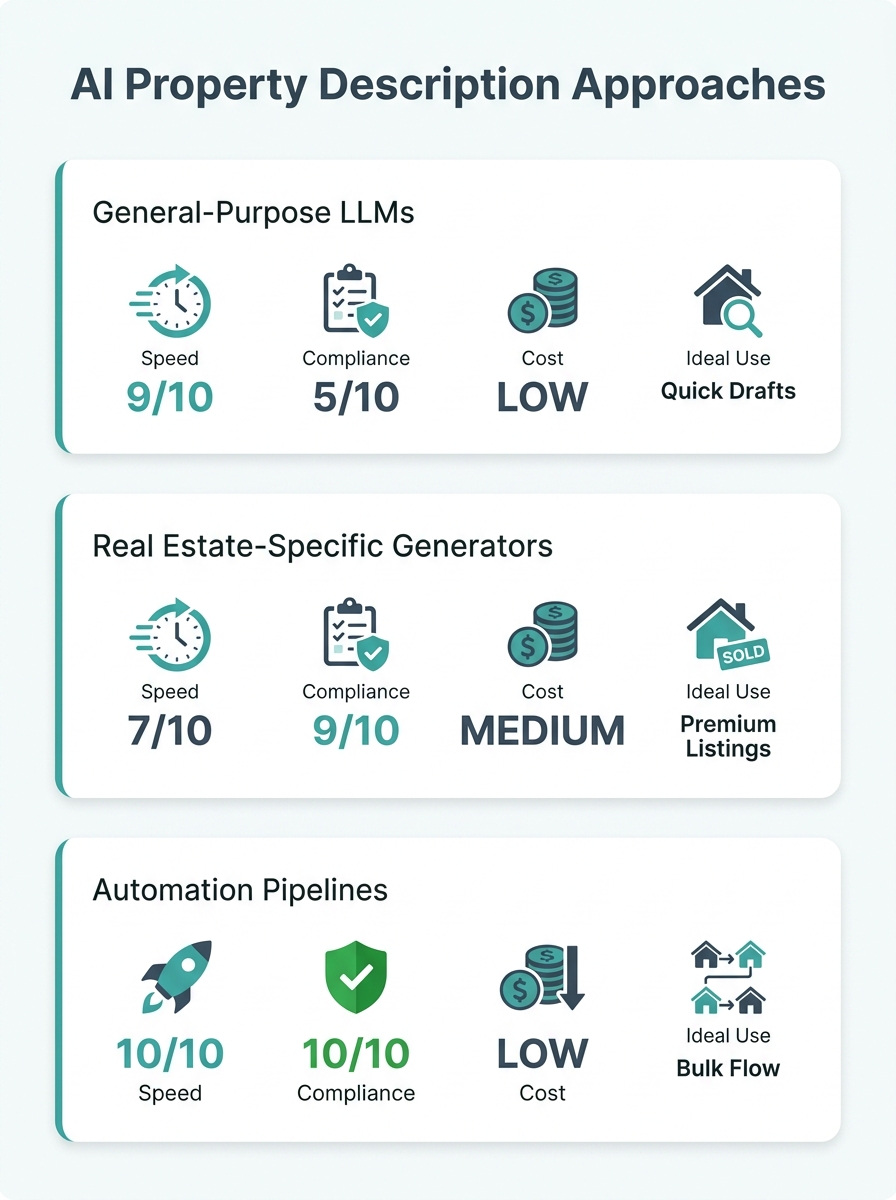
General-Purpose LLMs and the Editing Tax
ChatGPT, Claude, and similar models produce the highest-quality raw prose for AI property descriptions because you control the prompt entirely. You can specify tone, reading level, keyword targets, and neighborhood details sentence by sentence. That flexibility is why agents who’ve invested time building detailed prompt templates report descriptions that outperform handwritten copy on click-through rates.
The tradeoff is editing time. General-purpose models don’t know your MLS’s character limits, prohibited phrases, or fair housing language restrictions. They’ll generate “perfect for young families” (a fair housing violation) or invent a feature the property doesn’t have. Every description needs a line-by-line check against the property’s actual specs and your board’s compliance rules.
The PQAB framework — Property type, Quantity of rooms and features, Area or neighborhood specifics, Benefit to the buyer — gives these models the structure they need. Feed ChatGPT or Claude a PQAB-formatted input, and the output reads closer to what your MLS expects. Descriptions that replace vague adjectives like “stunning” with verifiable facts (“2021 walnut millwork throughout,” “0.3 miles to Greenline metro station”) perform better in both traditional search and AI answer panels, where listing copy optimization for AI search depends on specificity over superlatives.
The Luxury Presence 2026 SEO guide recommends keyword clustering, which means grouping related terms so a single listing description covers multiple search intents. A general-purpose LLM handles this well when prompted. You can instruct it to weave “3-bedroom colonial in Westfield” alongside “family home near Westfield schools” and “colonial with updated kitchen NJ” within the same 250-word block. Real estate-specific tools rarely offer that degree of keyword control.
Expect 3–8 minutes per listing for compliance review, fact-checking measurements, and trimming to MLS character limits. For agents listing 1–5 properties monthly, that’s manageable. Beyond that volume, the math starts favoring the other two approaches.
What Real Estate-Specific Generators Get Right
Tools built specifically for agents strip the process down to form fields. Enter bedrooms, bathrooms, square footage, and notable features. Click generate. Get a description. The workflow takes 30–90 seconds, and because these tools were designed for MLS environments, they’re less likely to produce fair housing violations or fabricate measurements.
HAR.com’s generator uses natural language processing to analyze property details and produce descriptions calibrated for buyer appeal. ListingAI offers access to multiple AI models from a single account, so agents can compare outputs. RealEstateContent.ai reports over 110,000 posts generated by thousands of agents across North America, which means its model has been refined against a substantial volume of real estate-specific content.
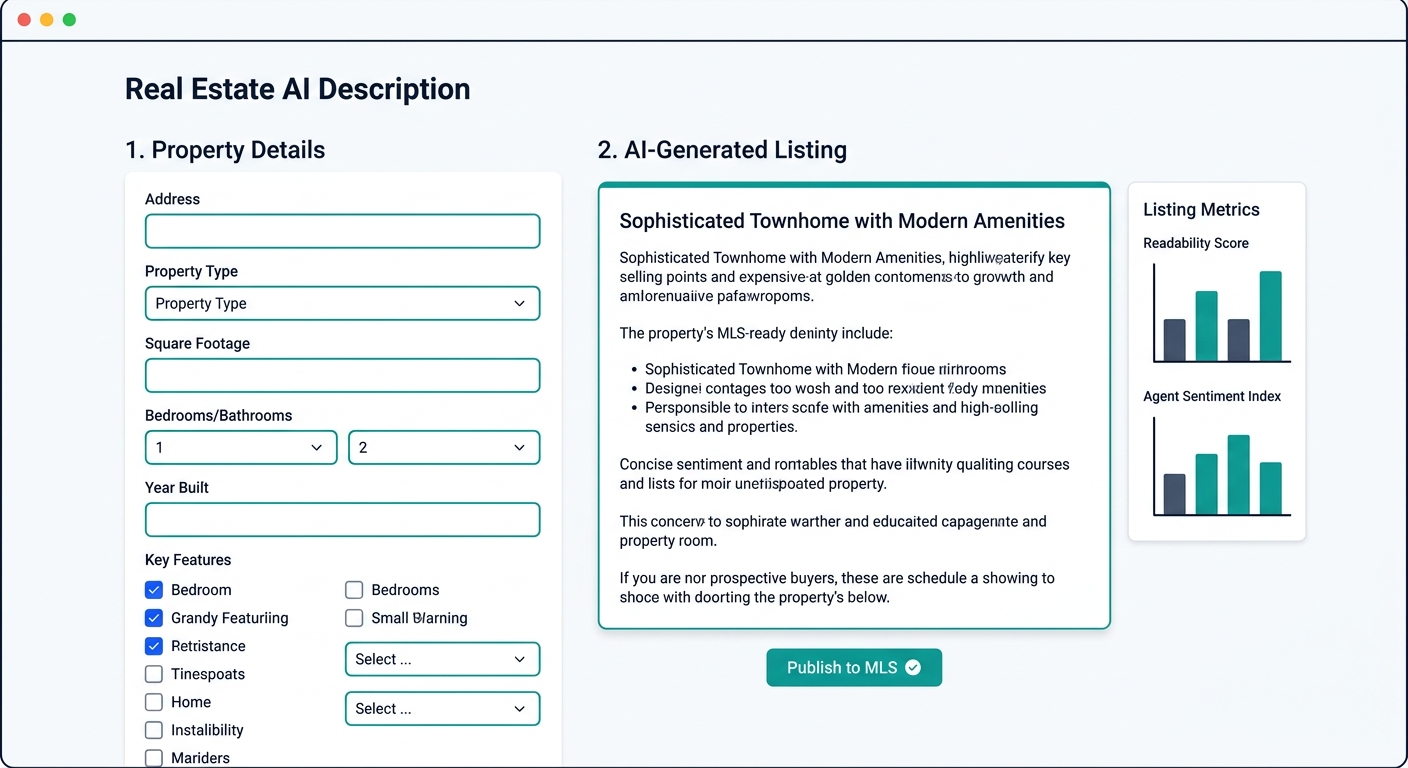
Some tools include character-count enforcement matched to major MLS platforms, and BoxBrownie’s free copywriting tool specifically targets conversion-oriented language patterns. For automated MLS copywriting at the single-listing level, these purpose-built options deliver the fastest path from property data to publishable copy.
But the limitations matter if you care about search visibility. These generators produce clean, professional descriptions that read well to humans. They typically don’t optimize for keyword clustering, voice search property listings patterns (“show me three-bedroom homes near the park with a garage”), or the kind of hyperlocal specificity that AI answer engines extract and cite. Preset templates prioritize readability over search performance.
The fastest AI description tool saves you writing time. The best one saves you writing time and shows up when a buyer asks Siri for homes near the elementary school.
If you’re thinking about how to structure property details for the way buyers actually search, you’ll find that the feature hierarchy research clashes with most generators’ default output order. Generators lead with bedrooms and bathrooms. Buyers searching through voice assistants and AI tools increasingly query by neighborhood, school proximity, and commute time first.
Cost is hard to beat for solo agents: HAR.com and BoxBrownie offer free tiers, and ListingAI’s paid plans stay under $49/month.
The Automation Pipeline Approach for High-Volume Teams
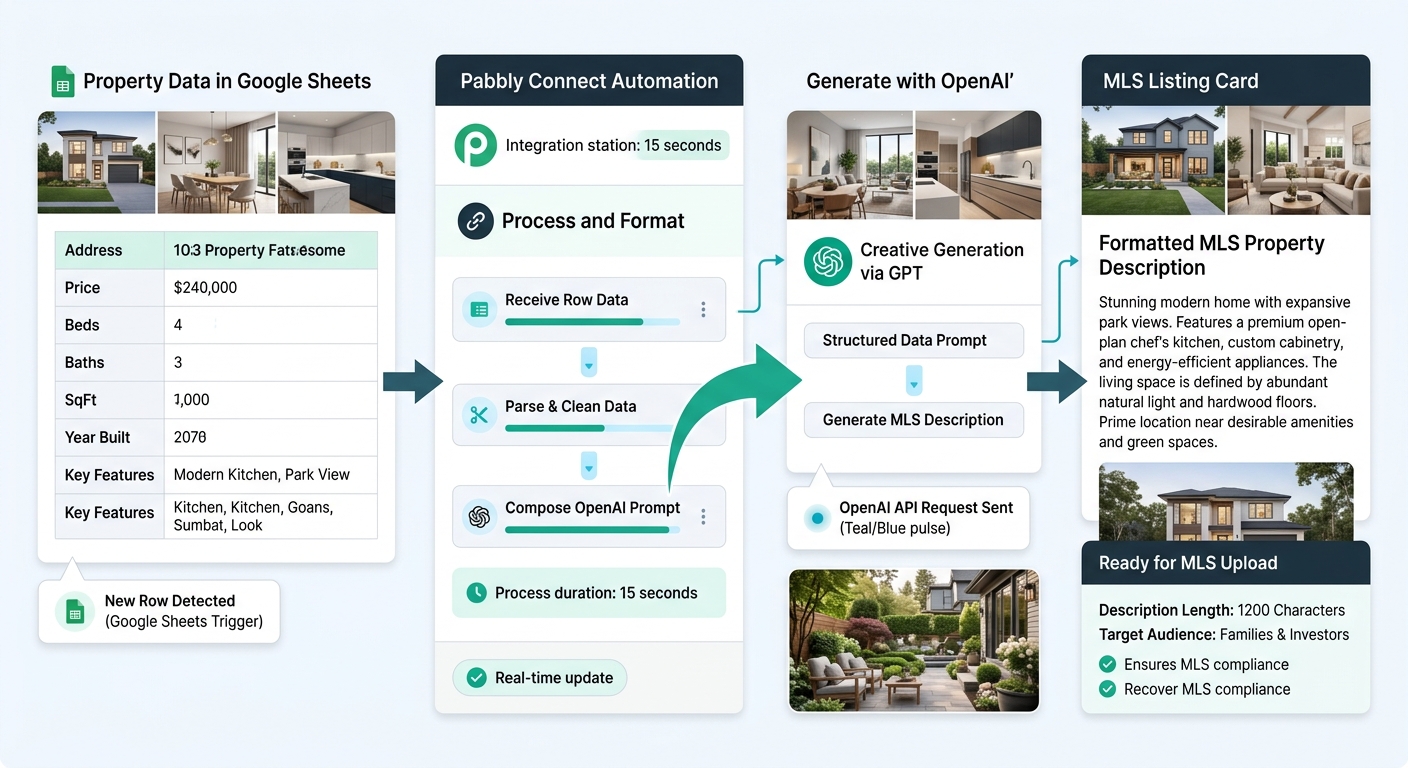
Why would you click “generate” 15 times a month when a spreadsheet row can trigger the same result automatically? The typical automation stack pairs a Google Sheet (or Airtable) with standardized property fields, a connector like Pabbly Connect or Make, and OpenAI’s API. Add a new row, and a draft description lands in a designated column within 10–20 seconds.
Leasey.AI’s research on MLS listing optimization found that SEO-optimized listings improve organic search rankings by 40 positions and increase listing views by 300% within 30 days. Automation pipelines let you embed that optimization into every description by hardcoding your keyword strategy, reading-level targets (8th–10th grade performs best), and compliance rules directly into the API prompt template. Every listing gets the same level of AI-generated real estate content quality regardless of which agent submits the data.
The setup investment is real: 2–4 hours to build and test the pipeline, plus periodic updates when your MLS rules change. API costs run roughly $0.01–0.03 per description at current GPT-4o pricing, making the per-listing cost trivial at scale. Monthly platform fees for Pabbly Connect or Make typically land between $15 and $50 depending on trigger volume.
Pipelines also enable A/B testing at scale. Generate two versions of each description, route them to different platforms, and measure which format drives more showing requests. Over 20–30 listings, you’ll have enough data to identify whether leading with neighborhood context or property specs produces more inquiries in your market.
The weakness is maintenance. Pipelines require someone comfortable with API keys, webhook URLs, and JSON formatting. If your team doesn’t have that person, the setup process stalls. And unlike HAR.com or ListingAI, there’s no support line to call when the pipeline breaks on a Sunday afternoon before a Monday listing goes live.
For teams already using AI across their operations — 97% of brokerages now report some form of AI adoption — adding a description pipeline to existing automation infrastructure is a natural extension rather than a new capability to learn.
How to Choose Between These Three
The right tool depends on three variables: your monthly listing volume, how much you care about AI search visibility, and whether someone on your team can handle light technical work.
Agents listing fewer than five properties per month who market primarily through their own website and social channels should use a general-purpose LLM. The editing tax stays low at that volume, and the ability to customize descriptions for voice search and conversational AI queries gives you a ranking advantage that preset generators can’t replicate. Write a solid PQAB prompt template once, and you’ll reuse it for months.
Solo agents who need speed above all else — especially those generating leads through portals like Zillow and Realtor.com rather than organic search — get the best return from real estate-specific generators. HAR.com and ListingAI produce portal-ready copy in under 90 seconds. The descriptions won’t dominate search rankings, but they’ll read professionally and keep you compliant.
Teams and brokerages running 10 or more listings monthly should build a pipeline. The upfront 2–4 hour investment pays for itself within the first month through time savings alone, and the consistency advantage compounds. Pair the automated MLS copywriting pipeline with a site architecture designed around buyer intent, and each description feeds a search strategy instead of sitting as isolated listing text.
Tip: Whichever approach you choose, run every AI-generated description through three checks before publishing: verify all measurements and distances against actual property data, scan for fair housing language violations, and confirm the character count fits your MLS platform’s limits. AI should never be trusted to infer facts it wasn’t explicitly given.
The agents getting the strongest results from AI property descriptions aren’t the ones using the most expensive tool. They’re the ones who picked the approach that matches their listing volume, built a repeatable 2-minute review process around it, and redirected the writing time they saved toward the activities that actually close deals — follow-up calls, showing prep, and the client conversations no AI can handle for them.