

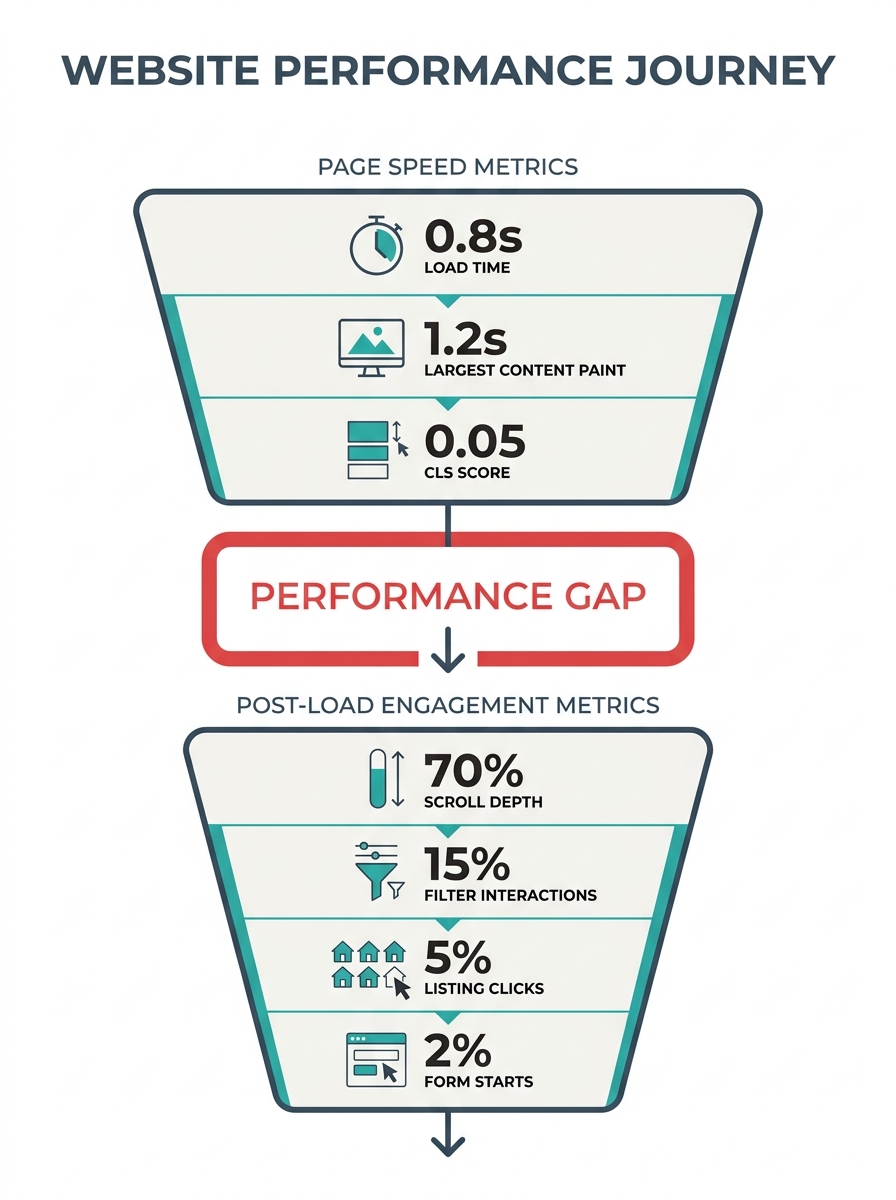
PageSpeed Insights gives the site a 94. Images are compressed to WebP, the CDN is configured, and Largest Contentful Paint clocks in at 1.7 seconds. By every standard metric for real estate website speed optimization, the site performs well. The lead conversion rate sits at 0.8%, squarely in the industry average range of 0.4% to 1.2%. Something between that fast page load and the form submission keeps breaking, and the fix has almost nothing to do with shaving another 200 milliseconds off your load time.
The following six rules address this gap between page load time impact on leads and actual conversion. Each one targets a specific lead conversion bottleneck where agents lose qualified buyers despite having technically fast websites. Some of these rules will feel obvious in hindsight. Others might contradict advice you’ve heard from your website vendor.
Measure what happens in the five seconds after your page loads
Page speed scores measure whether a visitor stays. They don’t measure whether that visitor does anything useful once they’re there. And most agents stop tracking at exactly the wrong moment.
A website performance audit for agents should include scroll depth, time to first interaction with a search filter, and click-through rates on individual listing cards. If your site loads in 1.5 seconds but nobody scrolls past the hero image, you have a content problem wearing a speed costume. Google Analytics 4 tracks engagement rate by default, which measures sessions lasting longer than 10 seconds, triggering a conversion event, or viewing two or more pages. That single metric tells you more about lead potential than your Lighthouse score ever will.
When this rule breaks: If your bounce rate is above 60% and your PageSpeed score is below 60, you genuinely do have a speed problem. Fix that first. But once your Core Web Vitals are green, redirect your attention to what users are doing with the fast page you’ve given them. We wrote about how to compare your site’s performance against competitors in detail, and the benchmarking process will surface whether your bottleneck is speed or something downstream.
Strip your lead capture forms down to three fields or fewer
Every extra form field on a real estate lead form reduces conversion by 10 to 15 percent. That penalty compounds. A six-field form doesn’t lose 60% of potential leads through simple addition, but the pattern is clear: the longer the form, the fewer people finish it. Name, email, phone number. That’s your ceiling for initial capture. Everything else can come during follow-up, when you’ve earned the right to ask.
Agents resist this because they want to pre-qualify. They add fields for “timeline to purchase,” “pre-approved Y/N,” and “price range” because they don’t want to waste time on unqualified leads. The math works against this approach. If your site gets 500 visitors a month and converts at 0.8% with a six-field form, you’re generating four leads. Drop to three fields, push conversion to 1.5%, and you’re getting seven or eight leads per month. Even if two of those are unqualified, you’ve doubled your pipeline.
When this rule breaks: If you’re running paid traffic to a specific landing page for luxury listings or a niche market, slightly longer forms can serve as intentional filters. But your main site contact form and property inquiry forms should stay lean. A deeper dive into why forms fail at the final step covers the specific friction points worth testing.
Sync your site speed investment with your CRM’s response clock
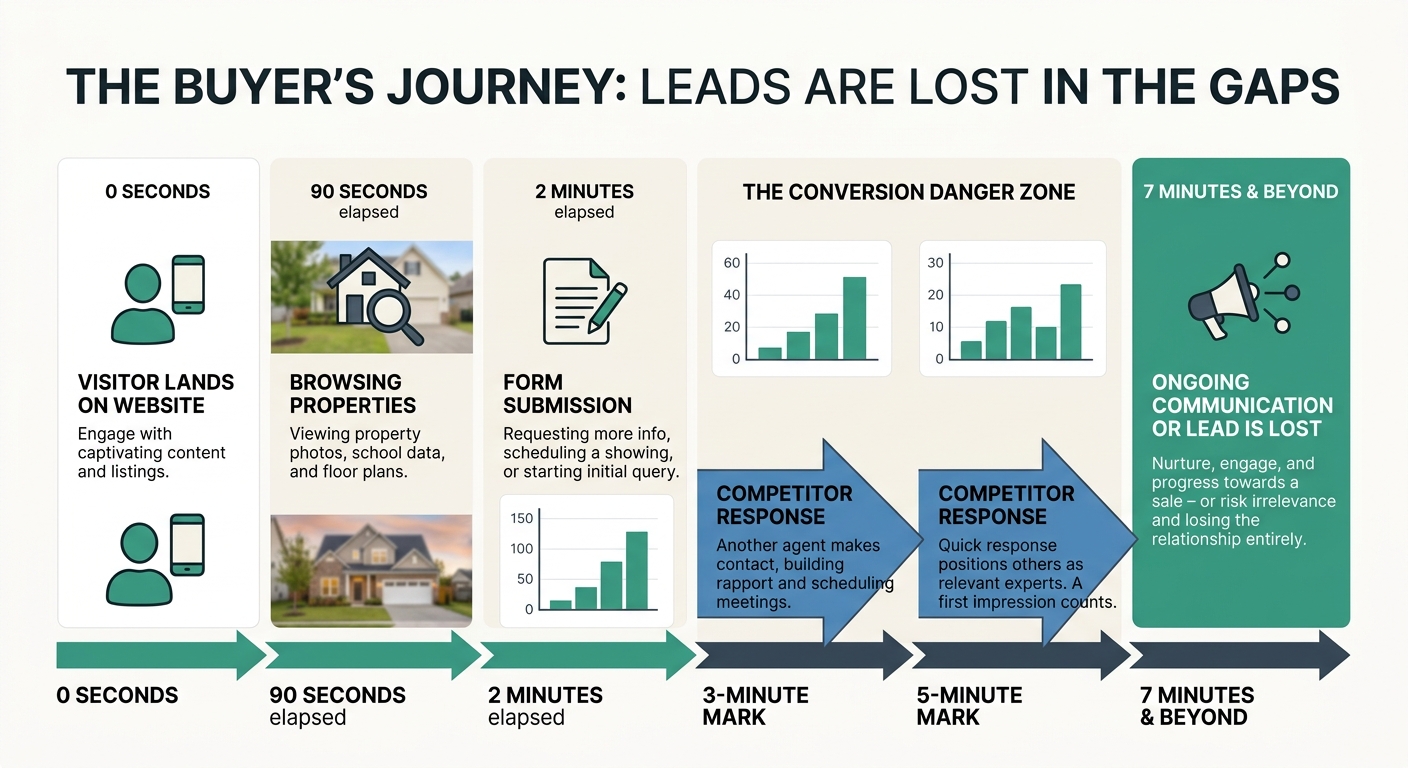
Here’s where the real gap lives. Research from FirstPageSage, cited by RealOffice360, shows that contacting a lead within five minutes of their inquiry increases conversion likelihood by 21 times compared to waiting 30 minutes. A 10-minute delay alone can reduce close rates by 80%. Your two-second page load means nothing if your CRM sends the first response email 45 minutes later.
A two-second page load means nothing if your CRM sends the first response email 45 minutes later.
Run this test: submit a lead form on your own site at 2:00 PM on a Tuesday. Time how long it takes for the first automated response to hit your inbox. Then time how long before a human follows up. Most agents will find a gap measured in hours, sometimes days. That gap is where qualified buyers go to Zillow, Redfin, or the agent who texted back in three minutes.
The fix is CRM automation with immediate triggers. The moment a form is submitted, the lead should receive a personalized text or email within 60 seconds. Not a generic “thanks for your inquiry” message, but something that references the property or neighborhood they were browsing. If you’re capturing leads but failing to convert them through nurture sequences, the response time gap is almost certainly part of the problem.
When this rule breaks: Cold leads from blog content or neighborhood pages don’t need the same urgency as someone who clicked “Schedule a Showing” on a specific listing. Match your response speed to the intent signal.
Treat every mobile visitor as someone ready to schedule a showing
Mobile users on real estate sites have low patience and high intent. Fifty-three percent of mobile users abandon sites that take longer than three seconds to load, but the ones who stay are disproportionately likely to convert into showings and calls. They’re searching from a parked car outside a property they just drove past, or during a lunch break after a coworker mentioned a neighborhood. They’re not doing idle research.
This means your mobile site needs to prioritize action buttons over information density. The phone number should be tap-to-call. The “Schedule a Showing” button should be visible without scrolling on every listing page. Property photos should load progressively so the page is usable before every image has rendered.
Running a mobile-specific conversion audit often reveals that agents have optimized their mobile site for speed scores without optimizing for the actions mobile users actually want to take. A site that loads in 1.8 seconds on mobile but buries the contact button below three paragraphs of property description and a mortgage calculator widget has won the speed battle and lost the conversion war.
When this rule breaks: Investors and relocation buyers often do deep desktop research sessions with 10 or more tabs open. If analytics show a meaningful desktop-heavy segment in your traffic, maintain a richer desktop experience. But don’t design mobile around that use case.
Audit your third-party scripts before upgrading your hosting plan
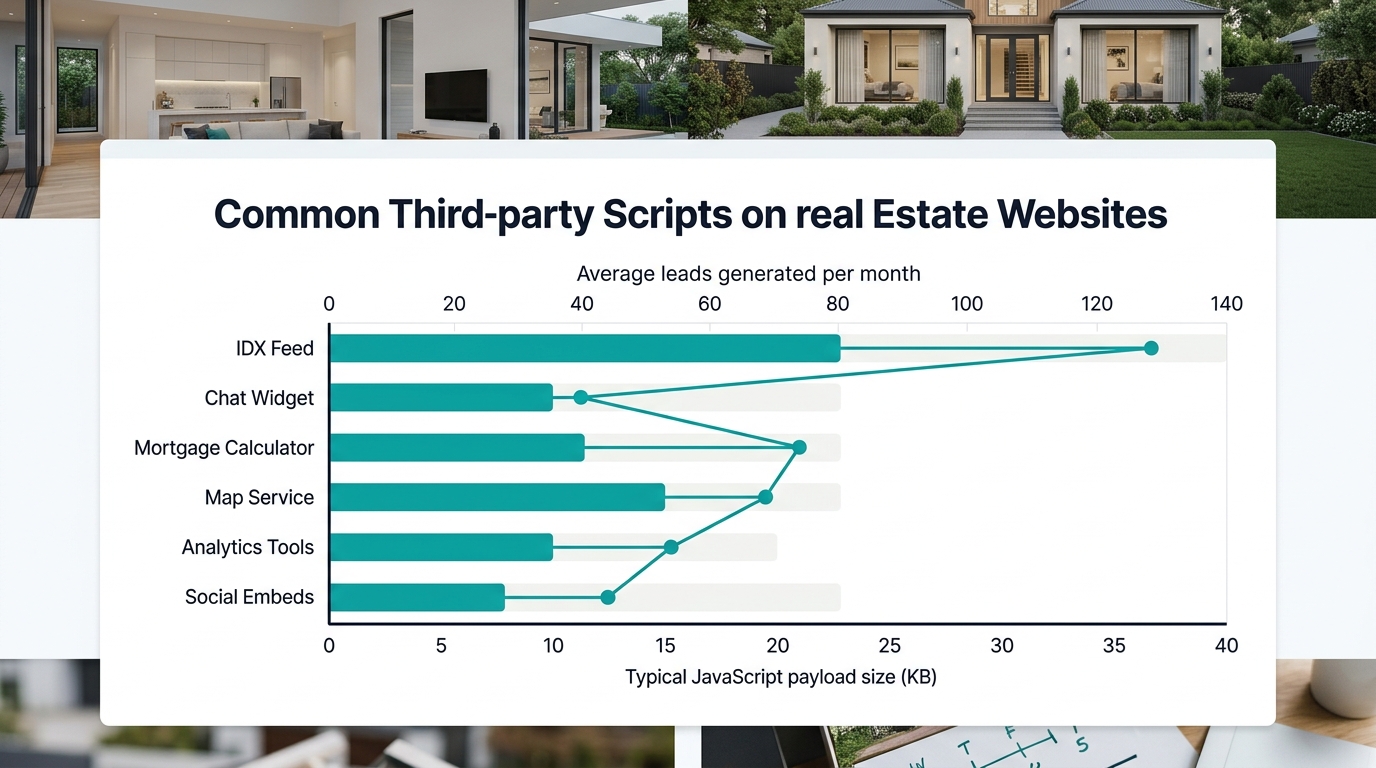
Real estate websites carry heavy third-party baggage. IDX feeds, mortgage calculators, map services, chatbot widgets, analytics tools, social media embeds, retargeting pixels. Each one loads its own JavaScript, makes its own server calls, and adds to your total page weight. According to Real Estate Webmasters, advanced search functions increase database queries and server response times significantly, and many agents don’t realize how much their IDX integration contributes to slow performance.
Before you spend money on faster hosting or a CDN upgrade, open your browser’s developer tools and look at the Network tab on your listing pages. Sort by file size. You’ll likely find that two or three third-party scripts account for most of your load time. Common offenders include chat widgets that load 500KB of JavaScript on every page (even pages where nobody chats), social sharing buttons that pull in Facebook and Twitter SDKs, and unoptimized IDX map tiles that download entire regions when the user only needs one neighborhood.
The practical move: disable scripts one at a time and measure both speed and lead volume after each change. If removing the chat widget drops your load time by a full second but you’ve only received three chats in the last six months, that trade is obvious.
When this rule breaks: Some third-party tools earn their performance cost. A well-configured chatbot that generates 15 qualified leads per month is worth 400 milliseconds of load time. The point is to measure the ROI of each script, not to eliminate all of them reflexively.
Match your landing pages to buyer intent, not traffic volume
A page optimized for “homes for sale in [city]” attracts a broad audience at various stages of readiness. A page targeting “3-bedroom houses under $400K in [specific neighborhood] with garage” attracts someone who knows what they want and is close to acting. Both pages might load in under two seconds. The second one will convert at three to five times the rate of the first.
Many agents pour all their speed optimization effort into their highest-traffic pages while ignoring the long-tail listing and neighborhood pages that attract high-intent buyers. This is backwards. Your highest-traffic pages need to be fast, yes, but your highest-intent pages need to be fast and persuasive. That means clear calls to action, specific neighborhood information, and immediate paths to contact you.
The practical move is to identify your top 10 pages by traffic, your top 10 pages by conversion rate, and see how much overlap exists. If the lists barely intersect, you’re spending optimization budget in the wrong places. Forty-four percent of agents give up after one follow-up attempt, despite data showing that 80% of sales require five or more contacts. Pair your high-intent pages with automated multi-touch follow-up sequences so the speed advantage of your site extends into the days and weeks after first contact.
When this rule breaks: Brand-new agents without enough traffic data to segment by intent should focus on overall site speed first. You need volume before you can optimize by intent. But once you’re seeing 300 or more monthly visitors, this segmentation becomes your highest-return optimization.
When These Rules Fight Each Other
Stripping forms down to three fields conflicts with wanting to pre-qualify leads. Removing third-party scripts conflicts with offering the interactive tools buyers expect. Designing for mobile urgency conflicts with the depth that desktop researchers want. These tensions are real, and pretending otherwise would make this advice useless.
The resolution is sequential testing, not simultaneous overhaul. Pick the rule that addresses your biggest current gap. If your page speed is fine but your CRM response time is 30 minutes, rule three is your starting point. If your mobile bounce rate is 70% despite fast load times, rule four is where you focus. Run each change for 30 days, measure both speed metrics and lead volume, then move to the next rule.
The agents who close this speed-to-lead gap share one trait: they treat their website as the first five seconds of a conversation, and they’ve built systems to make sure the next five minutes are just as fast. A site that loads instantly and then goes silent is a promise broken. The speed your buyer remembers is the speed at which you showed up after they raised their hand.